 Bridge Teacher Support and Services |
Many teachers work alone, self taught, finding learners and delivering services unaided. There are some very good support services and organisations assisting with various aspects of teaching. Most require some kind of expenditure so they need to be budgeted for. |
|
|
|
|
|
| Do you know about BridgeComposer? |
This is the very best software for creating, editing, checking, sorting and renumbering themed sets of hands for lessons or practice. it creates deal sets in Portable Bridge Notation (PBN) form.
You can produce hand reports or much fuller commentaries containing recommended auctions, leads and card play. You can produce files for dealing machines for physical cards. You can produce files for loading to online platforms such as RealBridge.
There are now features to allow you to preset an auction, and even the opening lead, to ensure practice of card play without variation in the auction.
There is a single first time fee to use the software and no maintenance charge. The software is maintained and developed regularly.You can have a free thirty day trial. At the time of writing the cost is $25.
|
|
|
|
| A low-tech approach to teaching bridge |
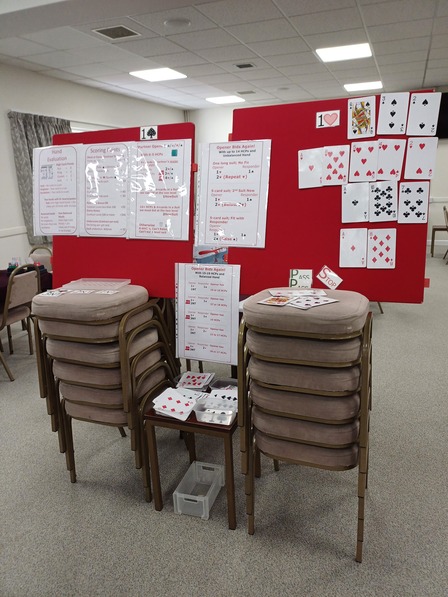 Bridge teaching can be high tec with laptops, projectors, touch screens and other amazing equipment. But it’s not the only approach.
If you teach in more than one venue it may be easier, or you may prefer, or your class may like, a simpler approach.
It's low tech, so you don't need internet, Wi-Fi or even power.
You can set up in any part of any room.
It's easy to pack up and transport.
I usually put the boards on piles of chairs (I find six is best). There are usually chairs in any venue.
|
|
|
|
|
|
| Large Playing Cards |

I use a pack of 9.5 x14.5cm size playing cards I bought a lot of years ago.
This may be the best compromise between being able to put a lot of them onto a felt board, and people sitting a couple of metres away being able to see them.
I did try "poker" cards - slightly bigger than normal, but people further away than the "front row" couldn't see them.
I found these on Amazon today, slightly bigger but look good.
These are just examples from January 2026, prices and products will have changed by now, so check for yourself.
|
|
|
|
|
|
| Velcro Dots |
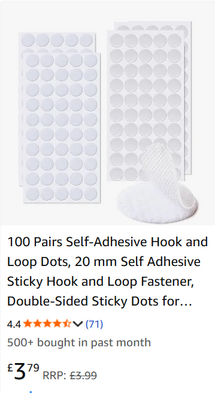
Look for packs of Velcro "dots". This means you don't have to cut up tape. Put two dots on each playing card, making them more secure. You can put a row at the top if you are short of space.
From Amazon today:
These are just examples from January 2026, prices and products will have changed by now, so check for yourself.
|
|
|
|
 Felt Display Boards |
 My felt boards are ancient exhibition equipment designed to be slotted into stands.
I find them brilliant because they are quite easy to put in the car and transport.
I like having two of this size because they will each take a thirteen-card hand and allow me to talk declarer, or defence play quite easily.
I think they are probably about 90x80cms.
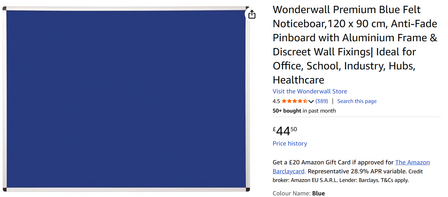
I can't find quite the same thing on the internet; I think the nearest portable equivalent would be to buy a couple of felt noticeboards.These are just examples from January 2026, prices and products will have changed by now, so check for yourself.
|
|
|
|
| Felt Boards on Wheels |
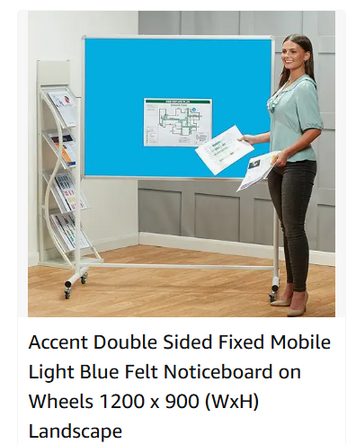 .
You can buy a felt board fixed to a trolley.
This would not be easy to transport.
This would be good if it can stay in one venue.
I would suggest the biggest, especially widest, you can find/afford/store.
These are just examples from January 2026, prices and products will have changed by now, so check for yourself.
|
|
|
|
| SharkBridge |
 SharkBridge – A web site designed and built for TEACHING BRIDGE
https://www.thesharkbridgecompany.com/
A Canadian company who developed a service for bridge teachers as recently as July 2020.
The platform was built with Audio/Visual capability.
It allows teachers to sit their students at tables with up to three robots. The students can then play boards at their own pace with pre-determined bidding and play by the robots.
Teachers can observe the play at multiple tables. Teachers can chat to all tables, or to one student.
Teachers can choose to “share” the play at the “teachers table” to demonstrate a topic. The students will all be able to see the play at the teachers table during such a period.
Teachers can load boards prepared elsewhere to the platform for lessons. There are also facilities to generate hands on the platform itself.
Teachers can pre-set the auctions and the card play. Using robots at the tables prevents bidding or play that throws the experience “off topic”.
The presentation of the service is fresh with clear easily read buttons, display, and instructions.
Despite being in Canada, SharkBridge have been responsive and supportive of two Devon based teachers who are now using it regularly.
The platform is charged at $1 per student per hour. Teachers can purchase $s to put on account. (Correct at March 2021).
|
|
|
|