Method 1 (via the Calendar without logging in)
Creating a Partner Request
Step 1
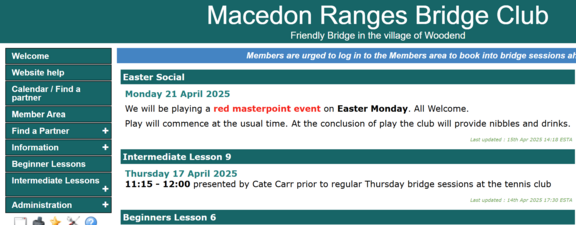
Go to any page on the website and in the menu on the left hand side click on 'Calendar / Find a partner' to open the calendar:
Step 2
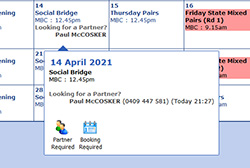
Now find the date in the calendar that you want to find a partner for, if it is the following month use the right arrow at the top of the calendar. I have chosen the 30 April 2025
If you are using a PC the Find a Partner box will appear if you 'hover' over it with your mouse. If you are using a phone or tablet you may have to click on the date for it to appear.

Step 3
Click on 'Find a Partner'
Step 4
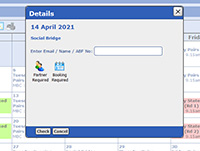
Now enter your name e.g. Joe Blow and click 'Check'. NOTE: if you are already logged in to the website, it will default to you as the Current User, and you will not need to enter your name.
Step 5
Now click 'Add request' and your calendar month view should show your Request a Partner
Now everyone can see that you are looking for a partner and when they hover over that day it will also show your mobile and/or phone so they can contact you.
Removing a Partner Request
When you find a partner and (possibly) need to make a booking you need to remove your request first. If your circumstances change and you no longer want a partner for that day you should remove the request to save unnecessary phone calls.
The steps to remove a partner request are almost identical to those for creating a request
Step 1
Go to the date on the date on the calendar where your booking is and click 'Find a Partner'.
Step 2
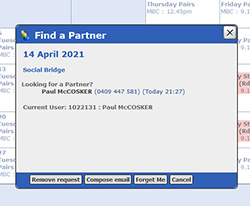
This time the Website will know it is your device and the following screen will appear (Diagram 5).(If not it will give you the option to click 'Check'.
Step 3
Now all you have to do is click 'Remove Request' and you're done.
Method 2 (from the Member Area)
- Log into the Members Area and click the Find a Partner tab
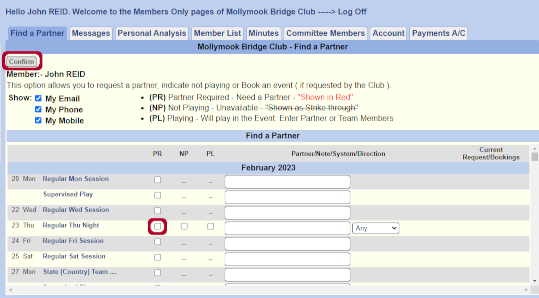
- Scroll down to the date you want to 'Find a Partner'
- Place a Tick in the First Box (which is PR)...scroll up and Click Confirm
- At the top you should see the words 'Booking Updated' in Red.
- Look on the Calendar on that date and you should see your request.
- To Remove your request, just return here and 'Untick' the box and click 'Confirm'
|